n8n 2025 Presentation
Automation and workflow assets
by Adam
Presentation Outline: Self-Hosting n8n with Cloudflare Tunnels
1. Introduction
- Brief introduction of self-hosting motivation
- What & why n8n? (opensource, automation workflows, alternative to Zapier/IFTTT)
- Overview of what will be shown:
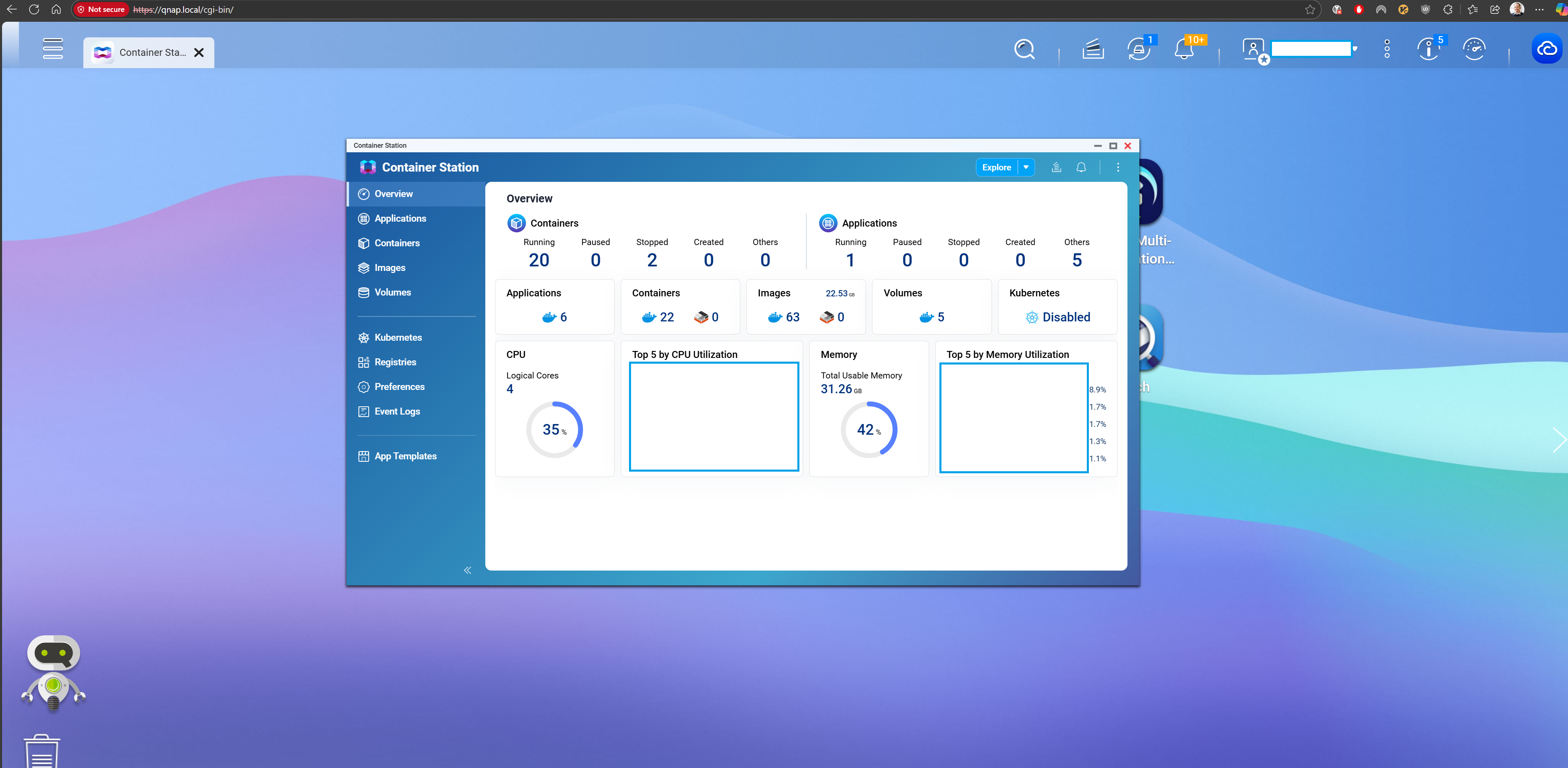
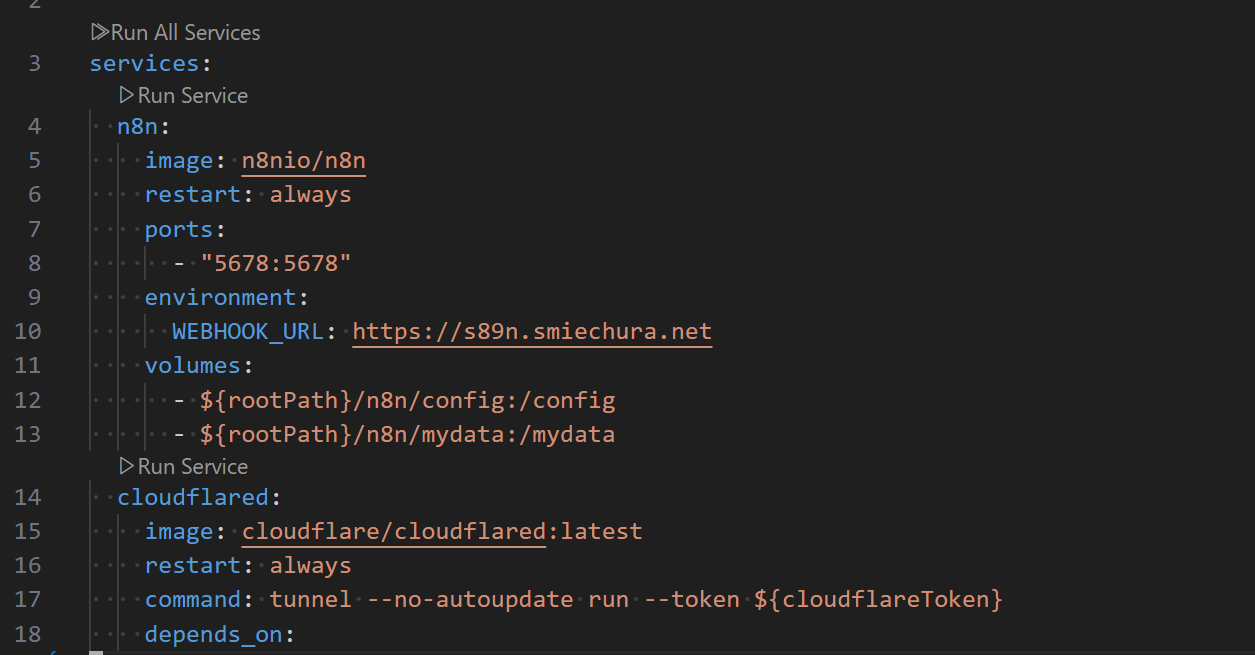
- Local setup (Docker Compose)
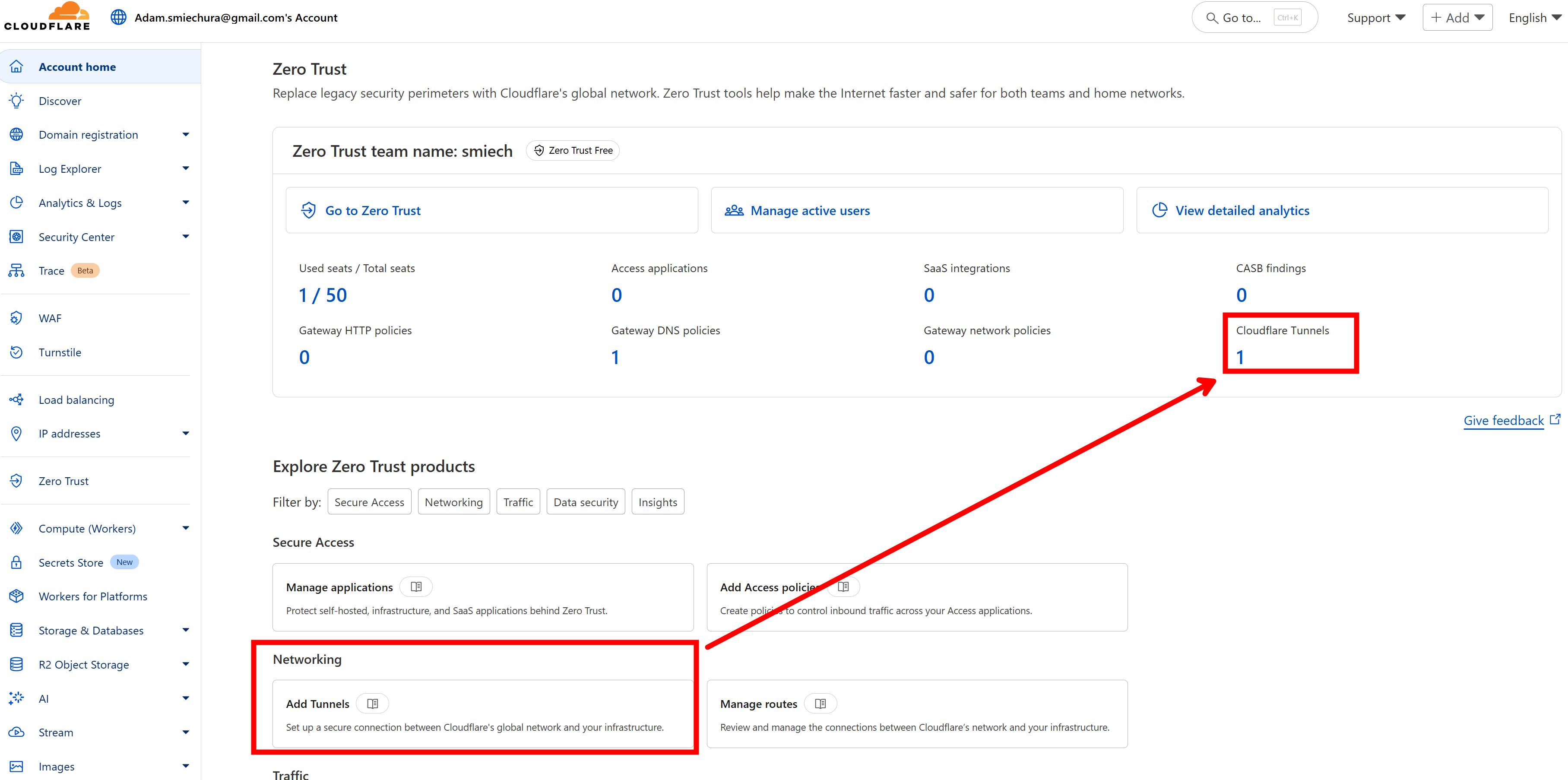
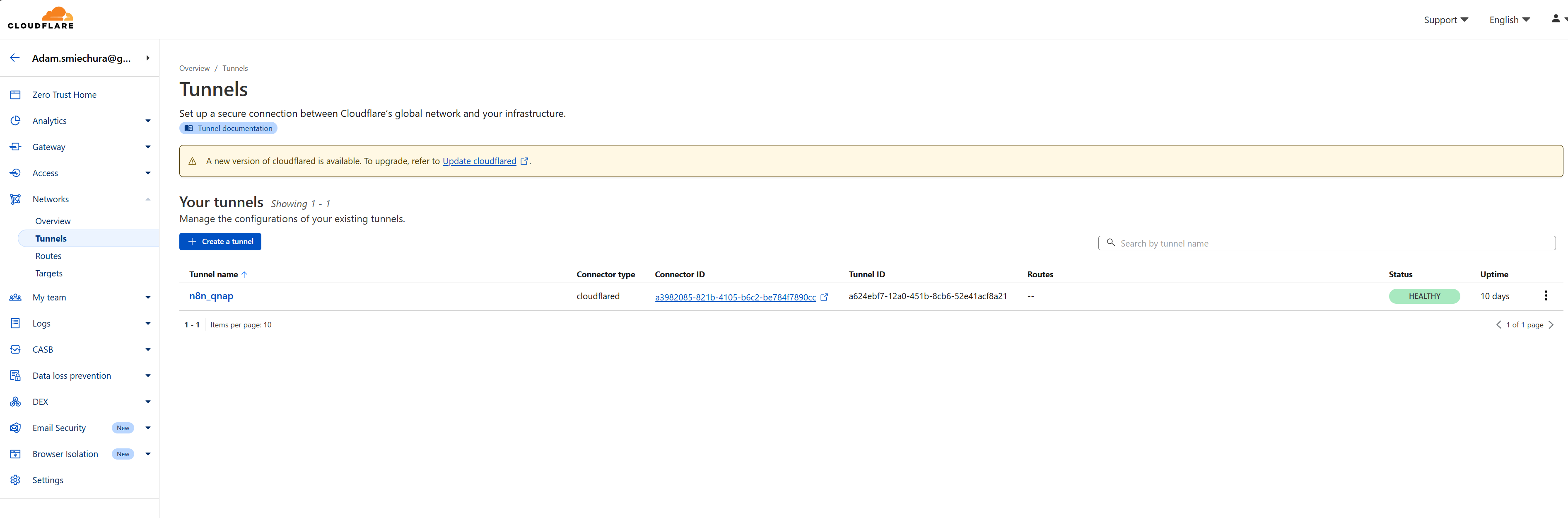
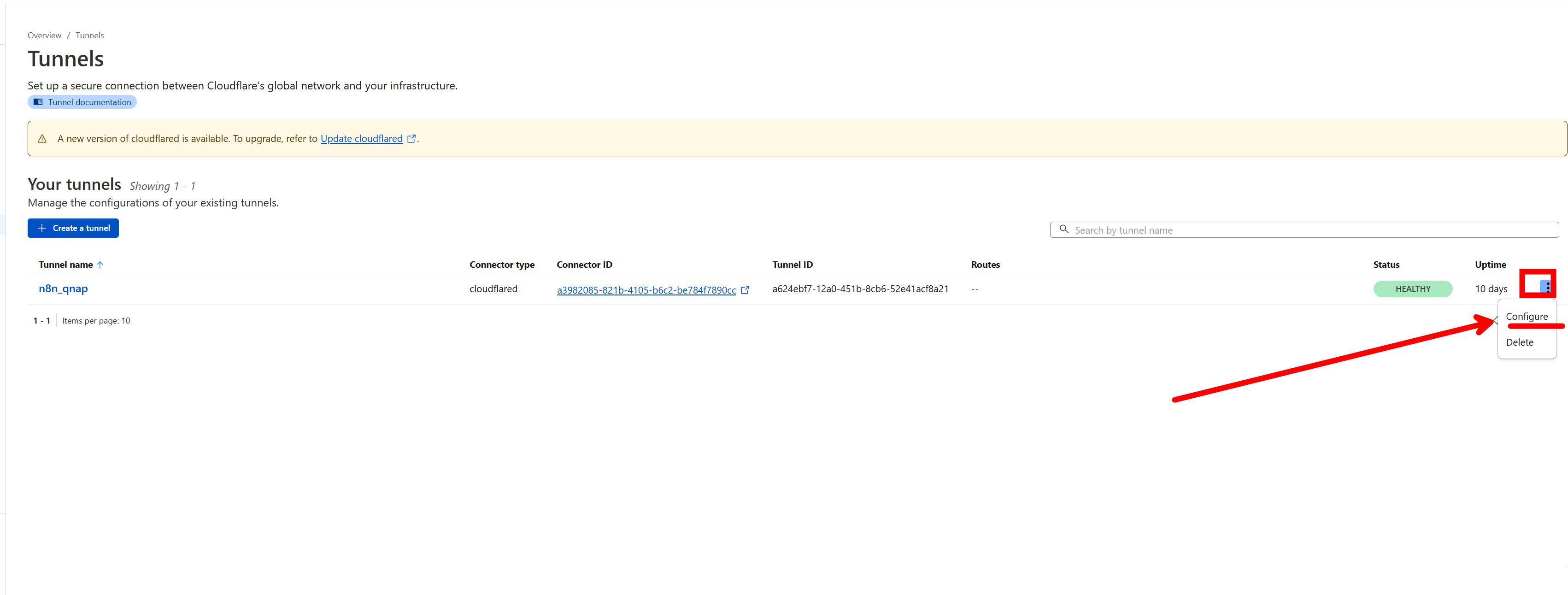
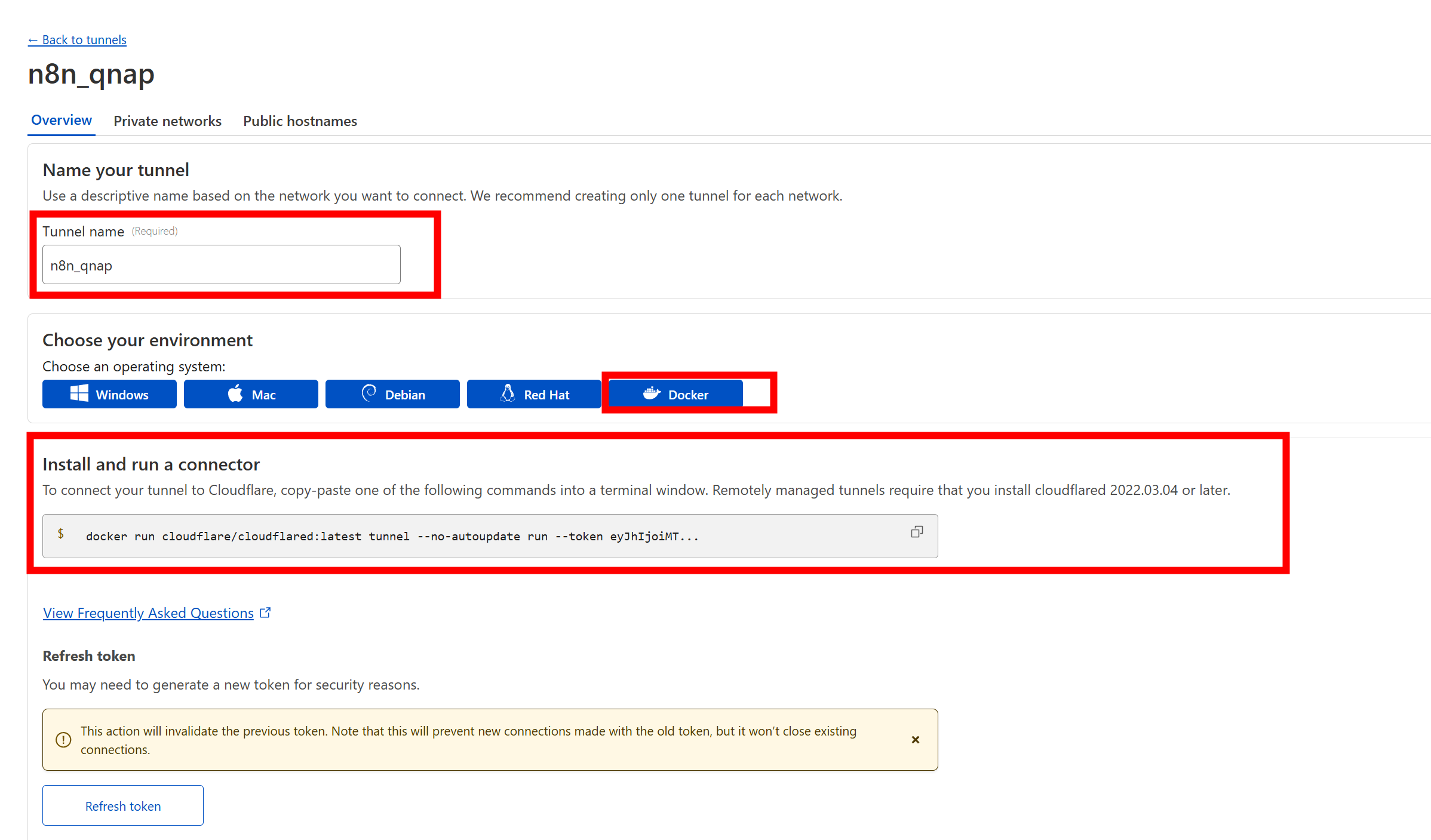
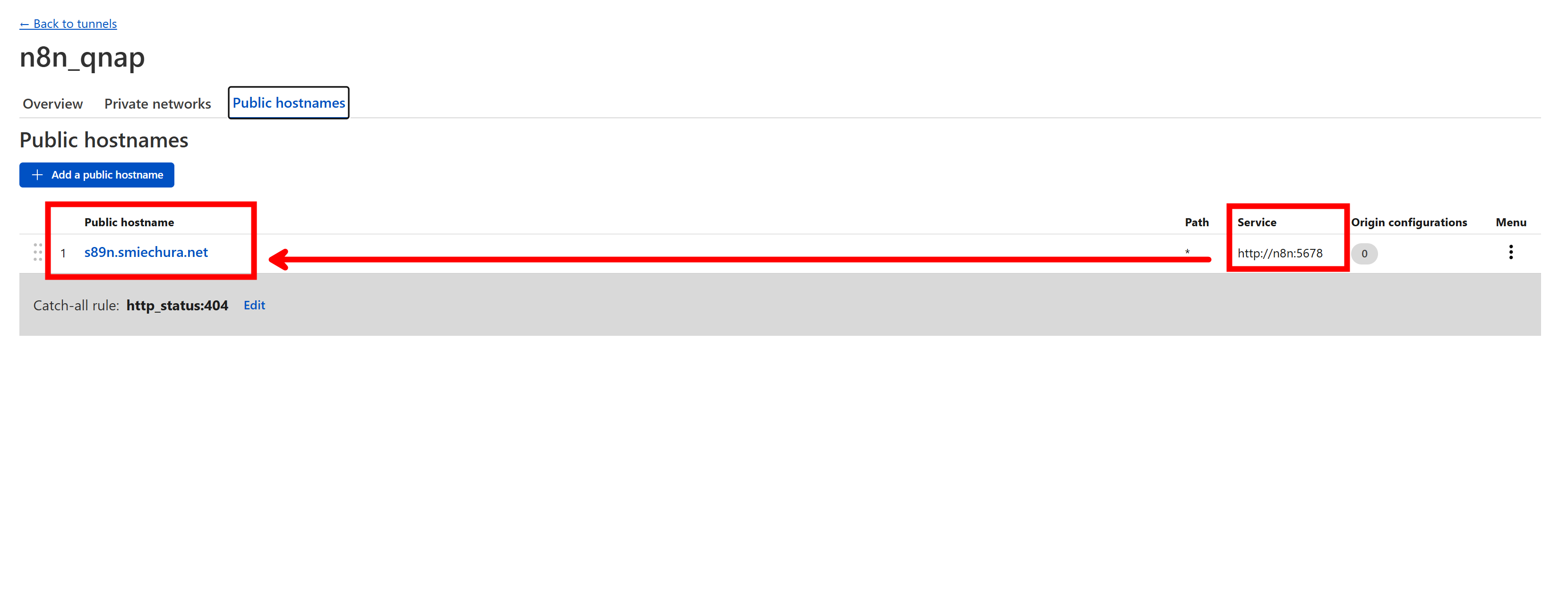
- Exposing securely with Cloudflare Tunnel
- Using private domain to access
2. Setup
- Local machine
- Network considerations: private LAN, DHCP/static IP setup
- Security needs:
- Avoid direct port forwarding
- Use of Cloudflare Tunnel as safer alternative
- Short explanation of n8n as an automation/orchestration tool
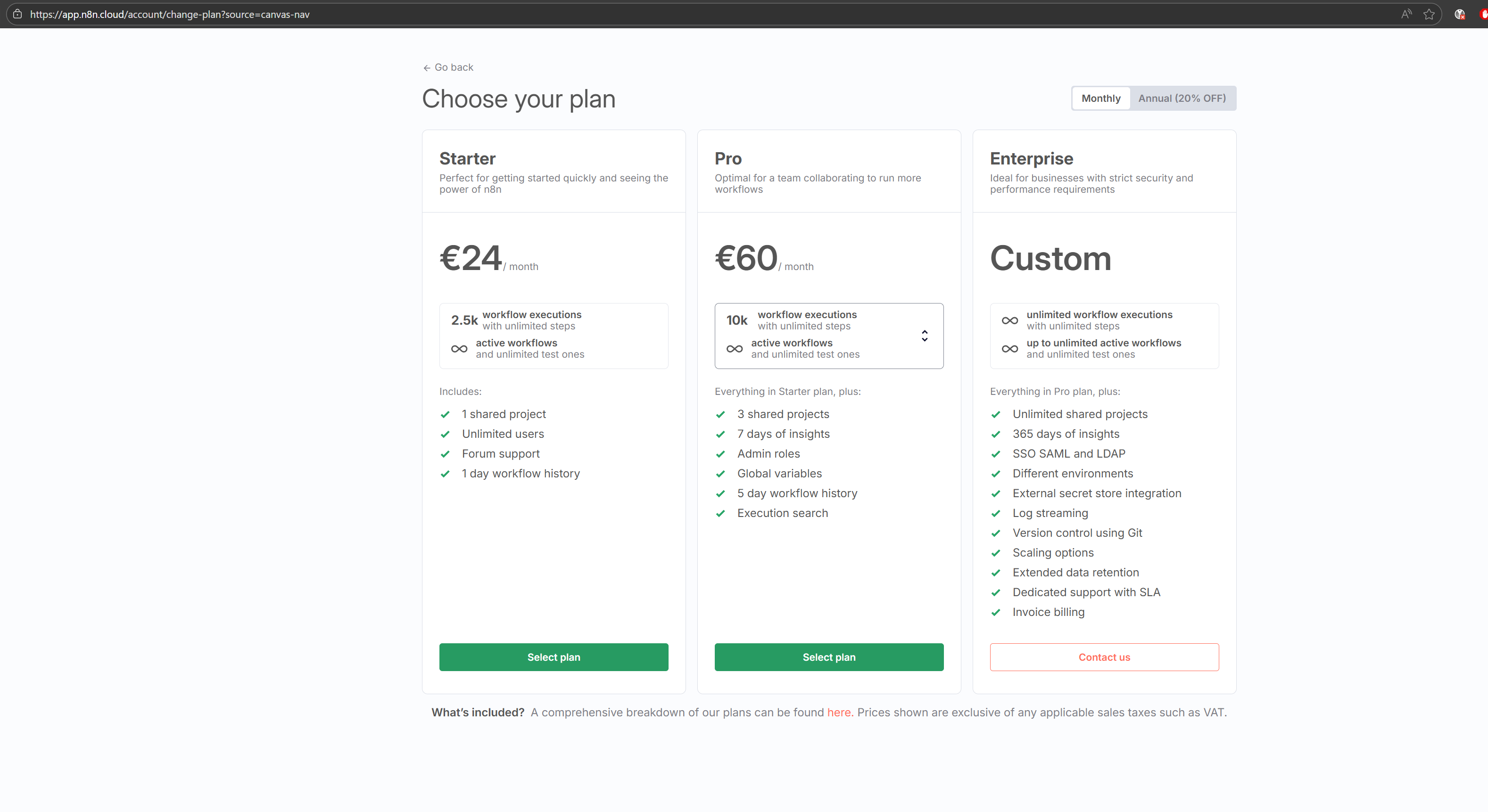
- Why self-host instead of n8n.cloud? ***
3. Docker Compose Deployment
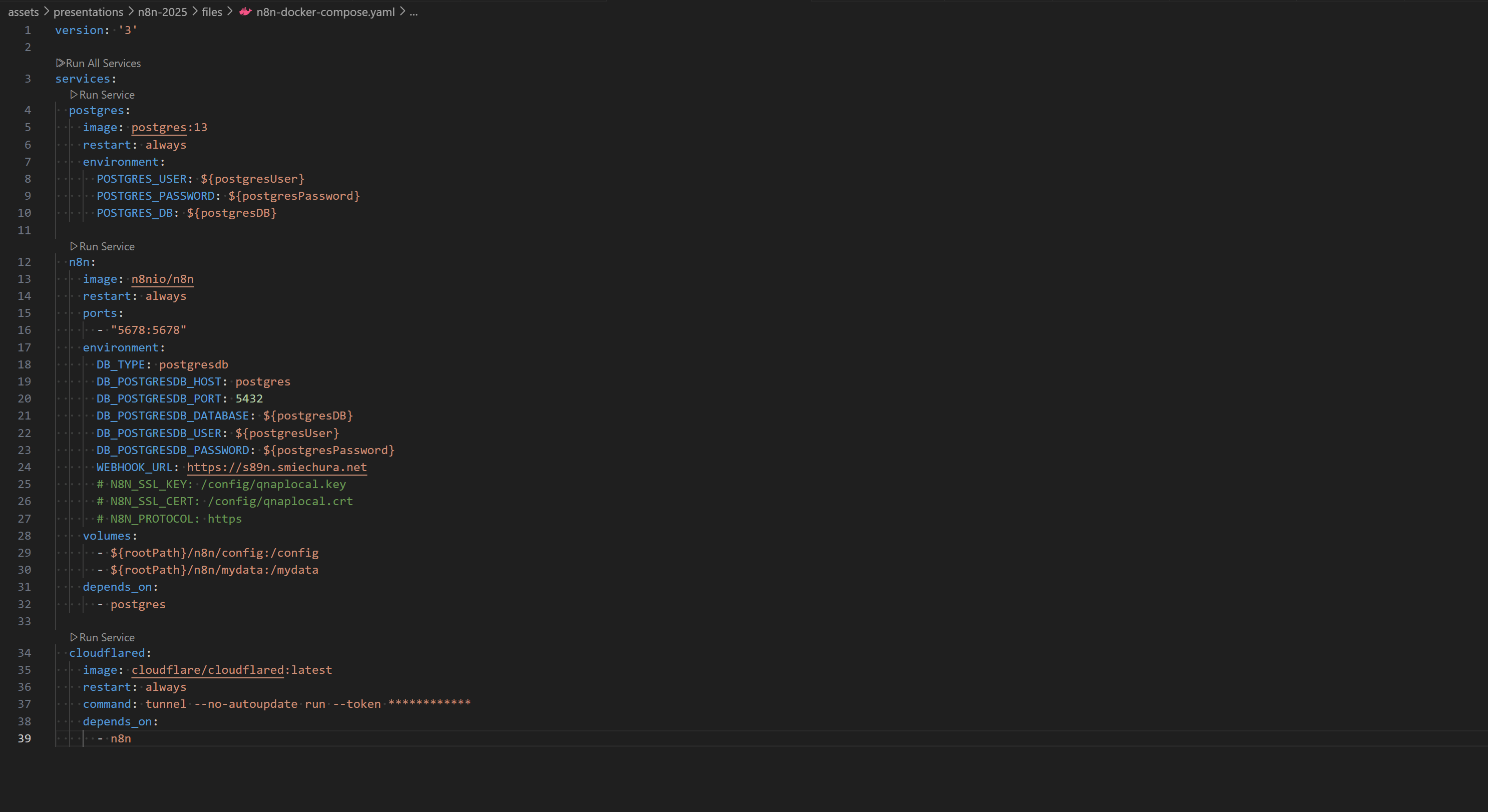
- Folder structure (docker-compose.yml, .env file for secrets)
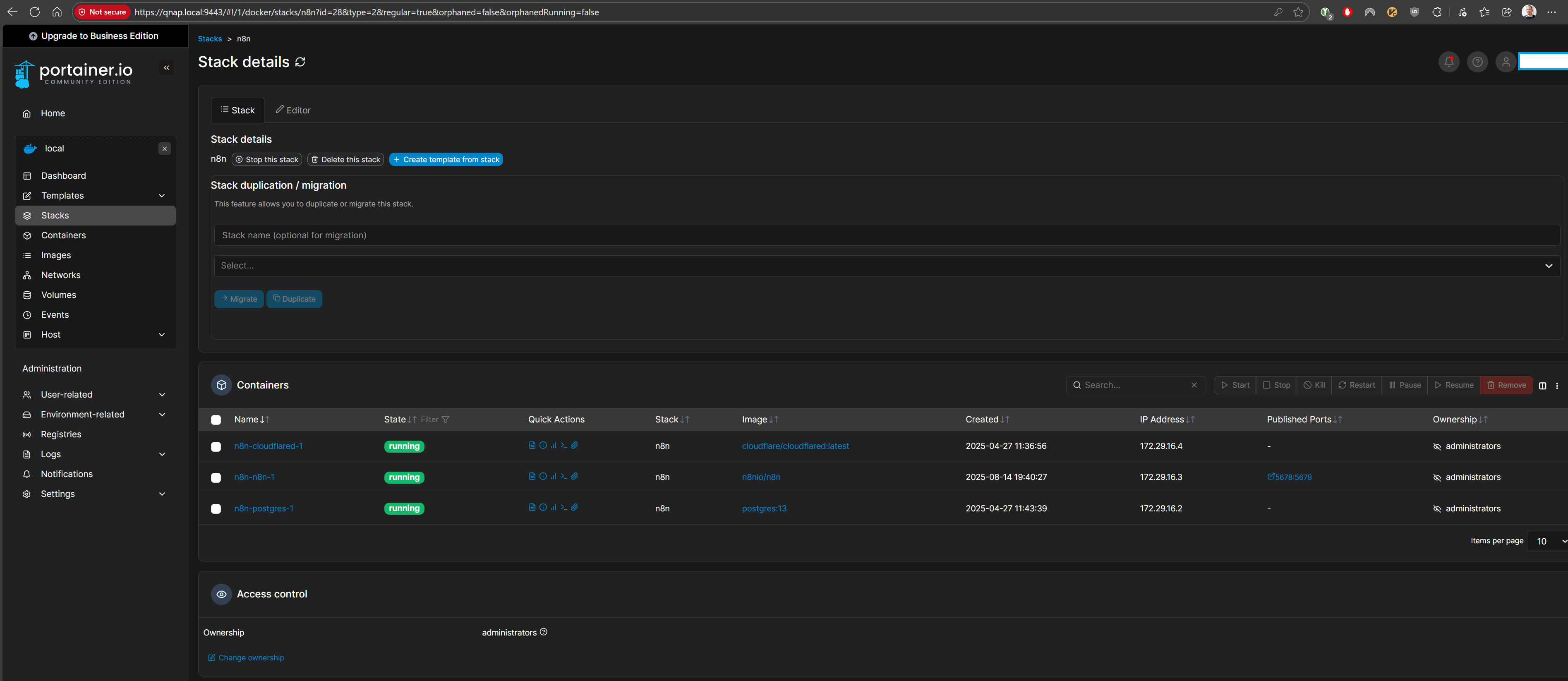
- Key Compose services:
n8ncontainer- Optional dependencies (Postgres for persistence)
4. Accessing and Securing n8n
- Access workflow builder via s89n
- Authentication via n8n built-in user management
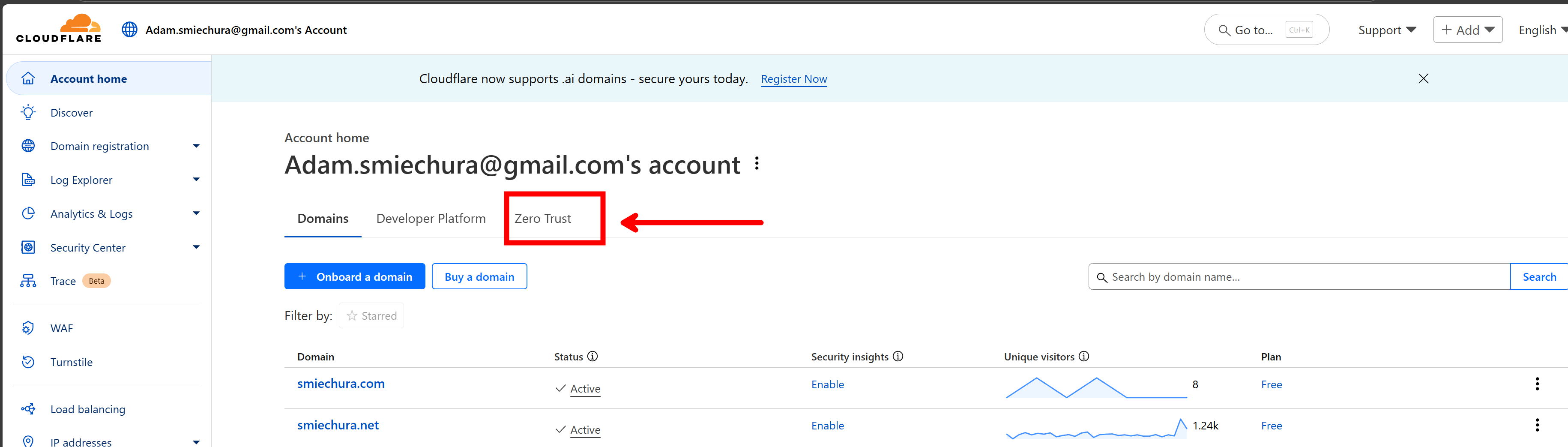
- Cloudflare Access (Zero Trust) as optional additional security:
- Restricting access to certain emails/devices
5. Small Demo / Use Case
- Webhook demo
- Local model
- Agent with tools
- Agent with vision
- Use deepseek locally
- Robot picture
- maybe ai dev team?
6. Closing \& Questions
- Wrap-up:
- n8n = flexible, open source, powerful automation platform
- Self-hosting = more control, cheaper, but needs setup effort
- Cloudflare Tunnel = simple, secure exposure without router headache
- Q&A